 Apex
Professional digital signage, priced for small places.
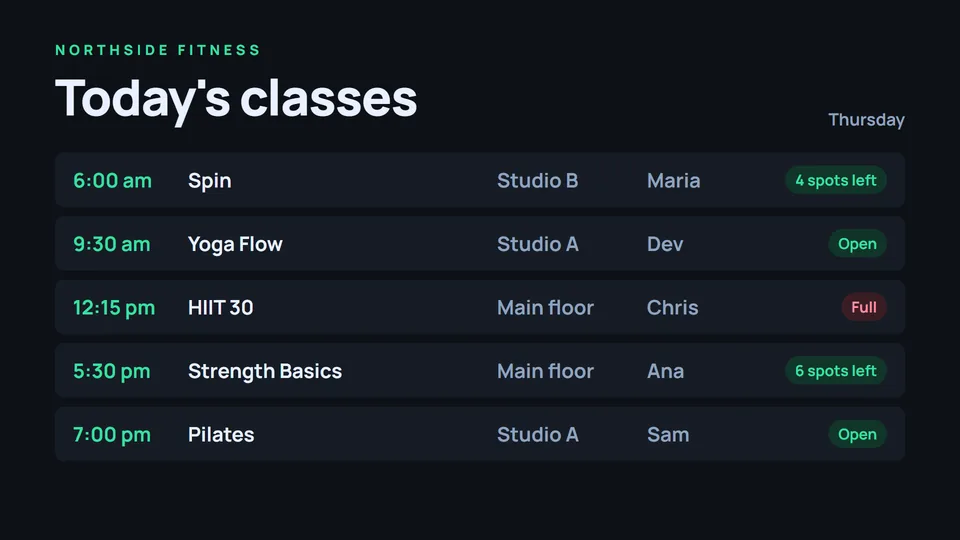
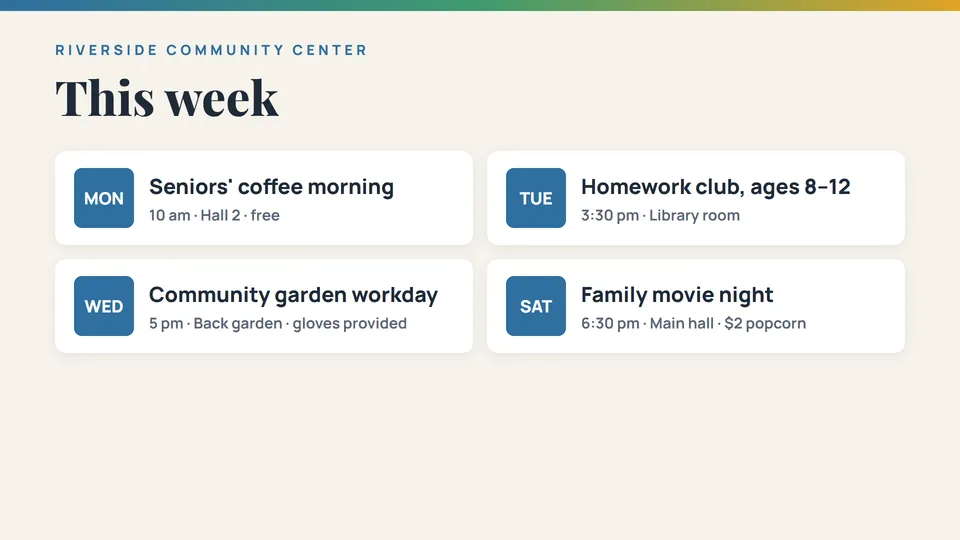
Put your menu, class schedule or notices on the TV you already have, and change them from your phone. Free on one screen. Two screens for $5 a month, total, not per screen.
NewAI Studio: snap a photo, get a poster for your TV. Included from $5.- Free forever on one screen
- No card to start
- Cancel anytime
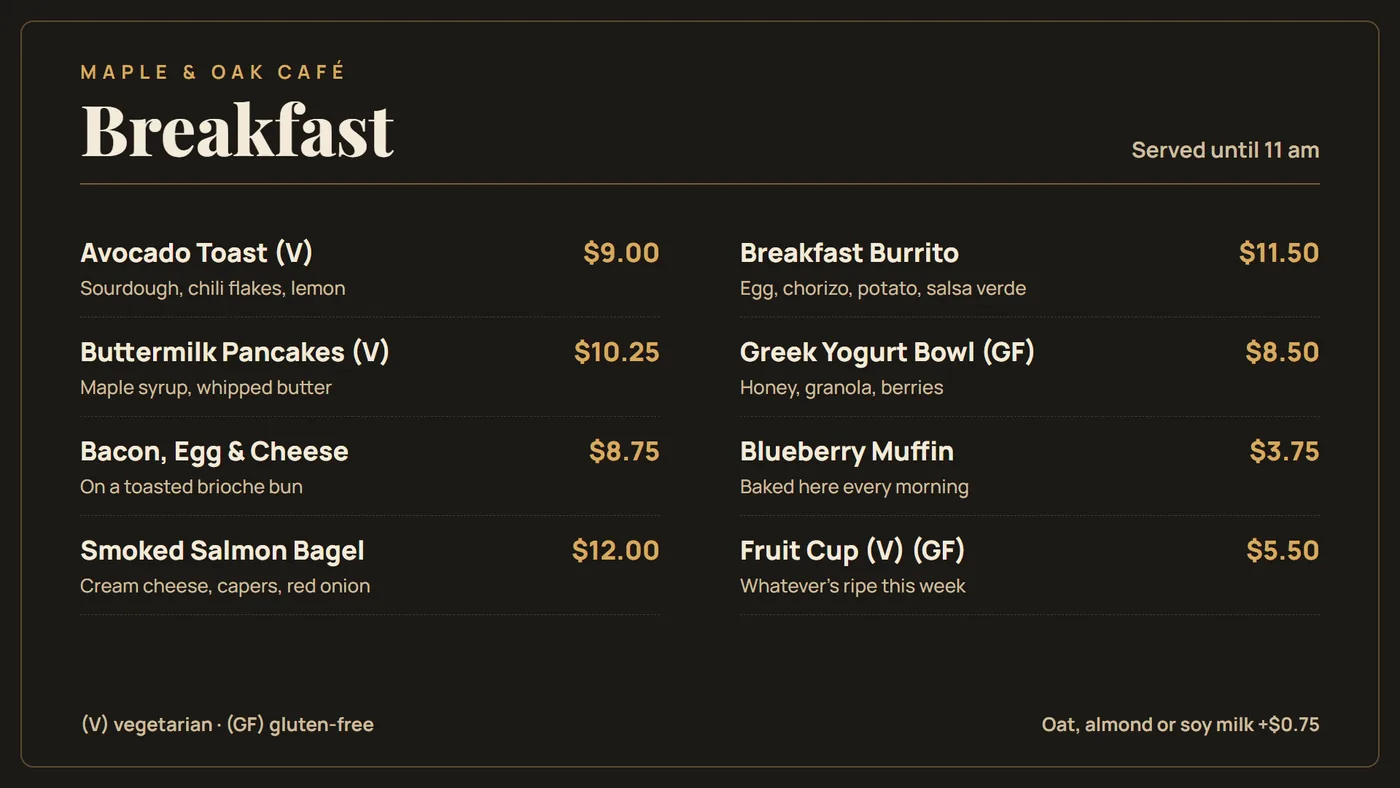
Same signs. A fraction of the price.
What two and five screens cost on each service's cheapest paid plan, billed monthly.
| Service | 2 screens | 5 screens | Per screen at 2 |
|---|---|---|---|
| ApexPoster | $5 | $25 | $2.50 |
| Yodeck | $16 | $40 | $8 |
| OptiSigns | $20 | $50 | $10 |
| Fugo | $48 | $120 | $24 |
| ScreenCloud | $48 | $120 | $24 |
Each company's cheapest paid plan, billed monthly, in US dollars, from its own pricing page on 25 November 2026. Prices change; check their sites. Plans include different features: Yodeck's and Fugo's include emergency takeover and screen groups, which ApexPoster includes from six screens.
What makes ApexPoster different
The big signage companies are built for chains with hundreds of screens. ApexPoster is built for one café, one gym, one church hall.
Two screens, $5 a month, total
That's less than a single paid screen costs on Yodeck, OptiSigns or ScreenCloud. One screen stays free forever.
A flat price, not a per-screen meter
Duo, Trio and Starter are one price for the whole account. The others' cheapest plans charge for every screen. Add a screen and we show you the new price before you pair it.
AI that starts with your photo
Take a photo of the dish, drink or product you actually sell, add a headline and a price, and AI Studio makes it a finished TV poster. Included with every paid plan, from $5.
Snap a photo. Get a poster for the TV.
No designer and no templates to wrestle with. AI Studio comes with every paid plan, from $5 a month, at no extra charge.
- Your photo
- Your headline and price
- AI Studio
- On every screen
Photo to poster
- Take a photo of a dish, a drink, a product or your storefront.
- Add a headline and a price, then pick landscape or portrait and a look: clean, bold, elegant or warm.
- Get a finished poster: the background cleaned up or replaced, the subject relit, your words set on it, sized for the TV.
Save it to your media and put it in a playlist like any other image. It starts from your own photo, so it shows what you actually sell.
Menu builder
Snap your printed menu or price board and get every item back as text, prices included. Check it instead of retyping the whole menu by hand.
Works from phone photos: up to four pages of a menu at once.
Every paid plan includes 30 AI credits a month. A poster or a menu read uses 3, so that's about 10 a month. Your original photo isn't stored, and its location data is removed before it's sent. AI Studio isn't part of Free.
Everything you need to run your screens
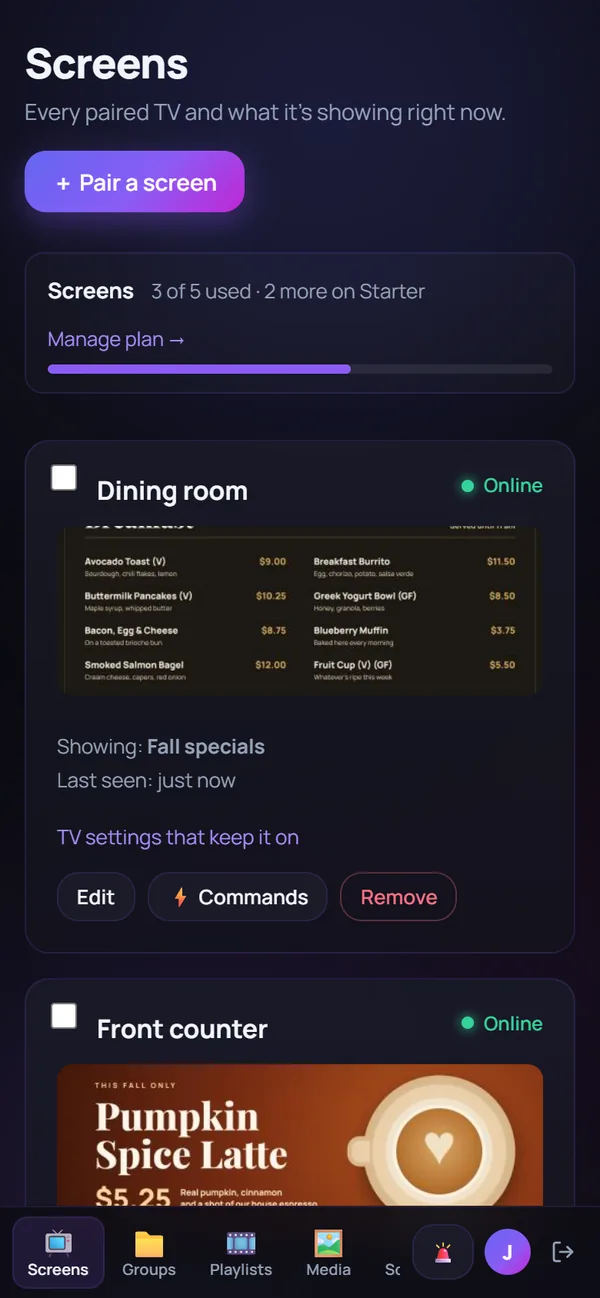
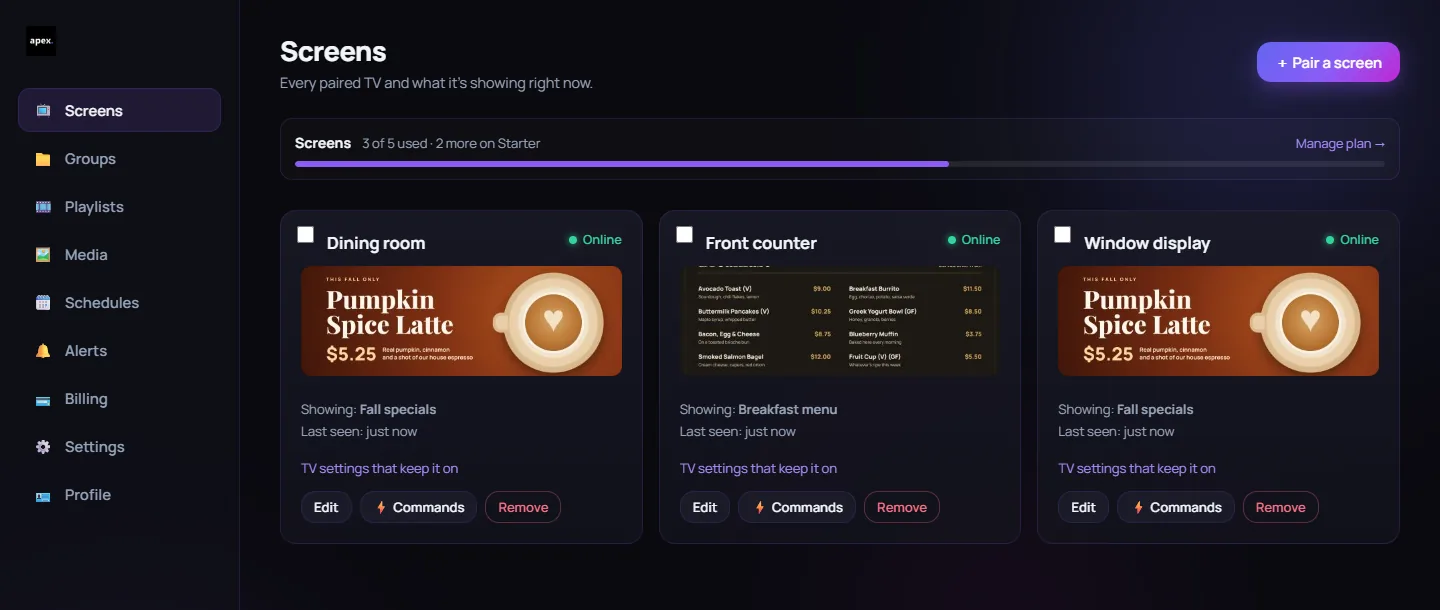
These are real screenshots: a demo café's dashboard and what its TVs are playing.
Every TV, live, on one page
See what each screen is showing right now and whether it's online. Change a screen's playlist in two clicks, or send it a restart from the counter.
Build a playlist in a minute
Drop in images, video, PDFs or PowerPoint. Add a clock, live weather, a news ticker, a QR code or a countdown. Set how long each slide shows and how it fades in.
Video, PDF, PowerPoint and widgets: Duo and up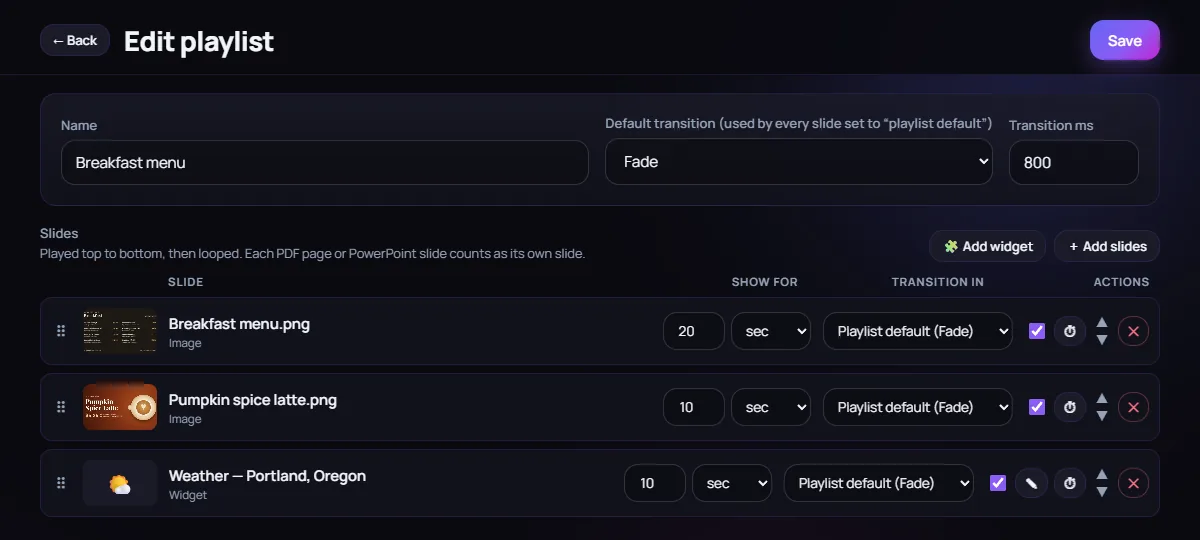
The right menu at the right time
Breakfast until 11, lunch until 3, specials at the weekend. Set it once and the TVs switch on their own.
Schedules: Duo and up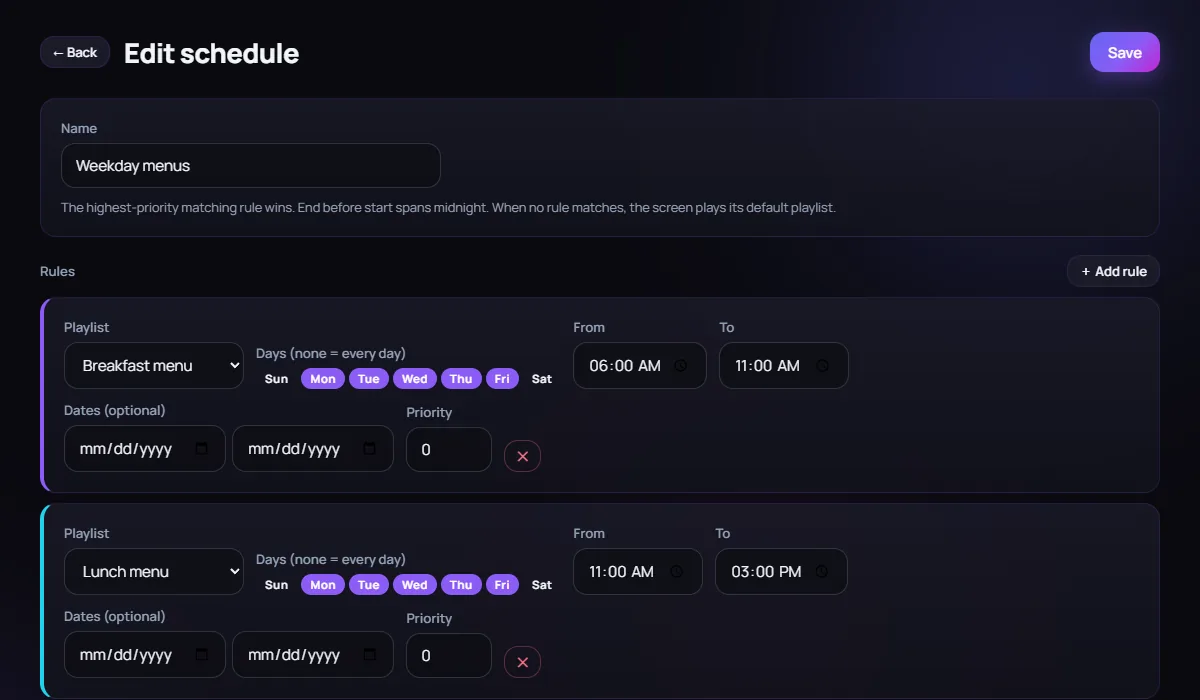
Change it from your phone
The whole dashboard works on a phone. Update tonight's special from the kitchen and every screen picks it up on its own.
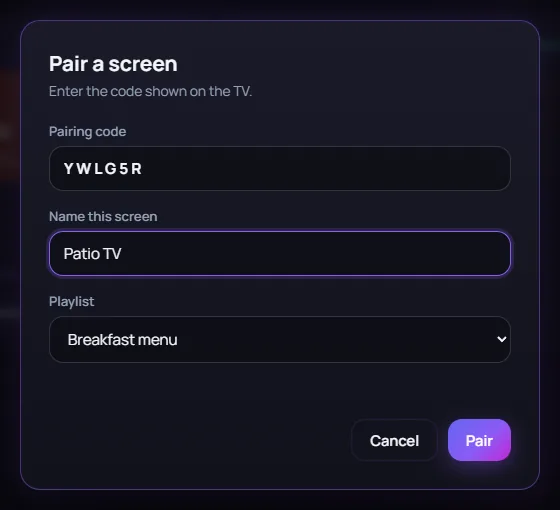
Set up in a minute
- Install ApexPoster on the TV. Fire TV or Android TV, free from the app store.
- Type the code it shows into your dashboard.
- Pick a playlist. It's on screen.
Keeps playing when the Wi-Fi doesn't
Screens keep what they're showing and ride out a dropped connection. When you need every TV at once, an emergency takeover puts one message on all of them.
Emergency takeover: Standard, 6 screens and up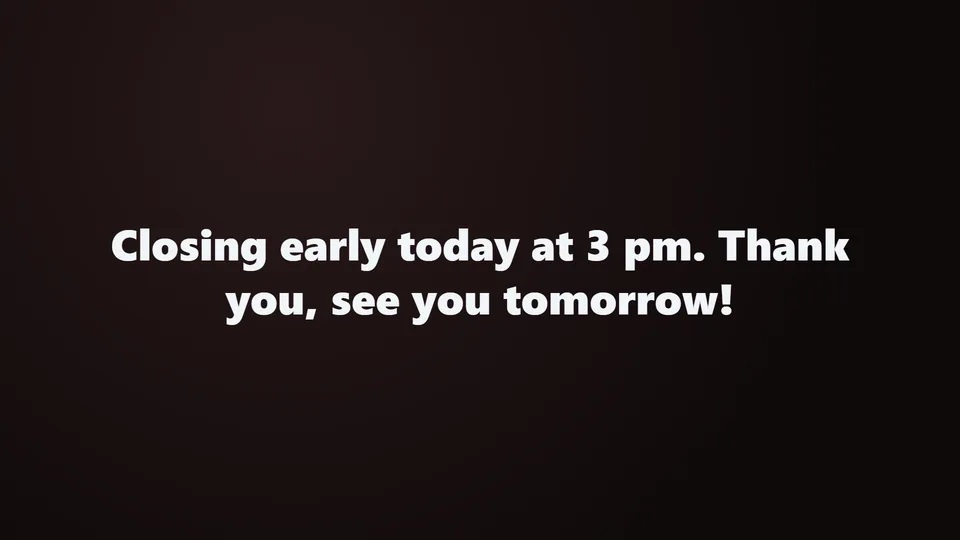
Made for the places people wait

Simple prices. No per-screen math until you're big.
Monthly, cancel anytime. Pay yearly and get two months free.
- 2 screens
- Video, PDF, PowerPoint, widgets
- Schedules
- AI Studio, 30 credits a month
- No QR code
Six or more screens: $7 a screen, $5 from 25. Adds groups, emergency takeover and offline alerts. Full pricing →
Works on the TV you already have
A Fire TV or Android TV and the free ApexPoster app. Most Fire TV sticks, the Fire TV Cube and TVs with Fire TV built in work today, as do Android TV and Google TV devices.
Not yet on Amazon's newest sticks (Fire TV Stick 4K Select, the newest Fire TV Stick HD and Fire TV Stick 4K 3rd gen): they run Vega OS, which can't run Android apps. A version for them is in progress. If ApexPoster isn't in your stick's app store, it's one of these.
Questions
Do I need to buy special hardware?
What's the catch with Free?
What does the AI do, and what does it cost?
Is there a contract?
What happens if the internet goes down?
What happens when I add a sixth screen?
Put something on screen today.
One screen, free forever. Two for $5 a month, AI included. No card, no call.
Start free